Selected work / Workspace utility
Benchlight
Know what is there before deciding what goes.
Benchlight brings storage measurements, toolchain observations and workspace changes into one local Windows application. Its most important output is an explanation I can review.
- Project
- Personal software project
- Stack
- Rust, Tauri, React, SQLite
- Stage
- Early Windows release · v0.1.0
- Release
Windows 11 x64, WebView2 required. Builds are unsigned. Installation notes ↗
A workspace holds more than source files
Projects accumulate dependencies, caches, tool installations and environment changes. A large folder might be rebuildable, but its name alone cannot tell me whether it contains something valuable. A familiar version command might resolve to a different executable than expected.
The project includes a scanner, saved observations, tool discovery, comparison and explicit cleanup planning, exposed through a shared Rust engine, desktop UI and CLI.
Watch the desktop app · 45 seconds
Video transcript and setup
Start a scan of the selected fixture workspace. The completed scan reports six projects, 26 MiB of logical file sizes and zero errors. Open Space to see Node dependencies marked Review and an unclassified environment marked Protected. Open Projects to inspect the detected stacks and measured sizes. No cleanup is performed.
The workspace copies the project’s test fixtures and adds generated sample files. Its sizes illustrate the workflow; they are not a performance benchmark or your real storage usage.
Interface walkthrough
Open a step to inspect the capture. Each image can be opened at full size.
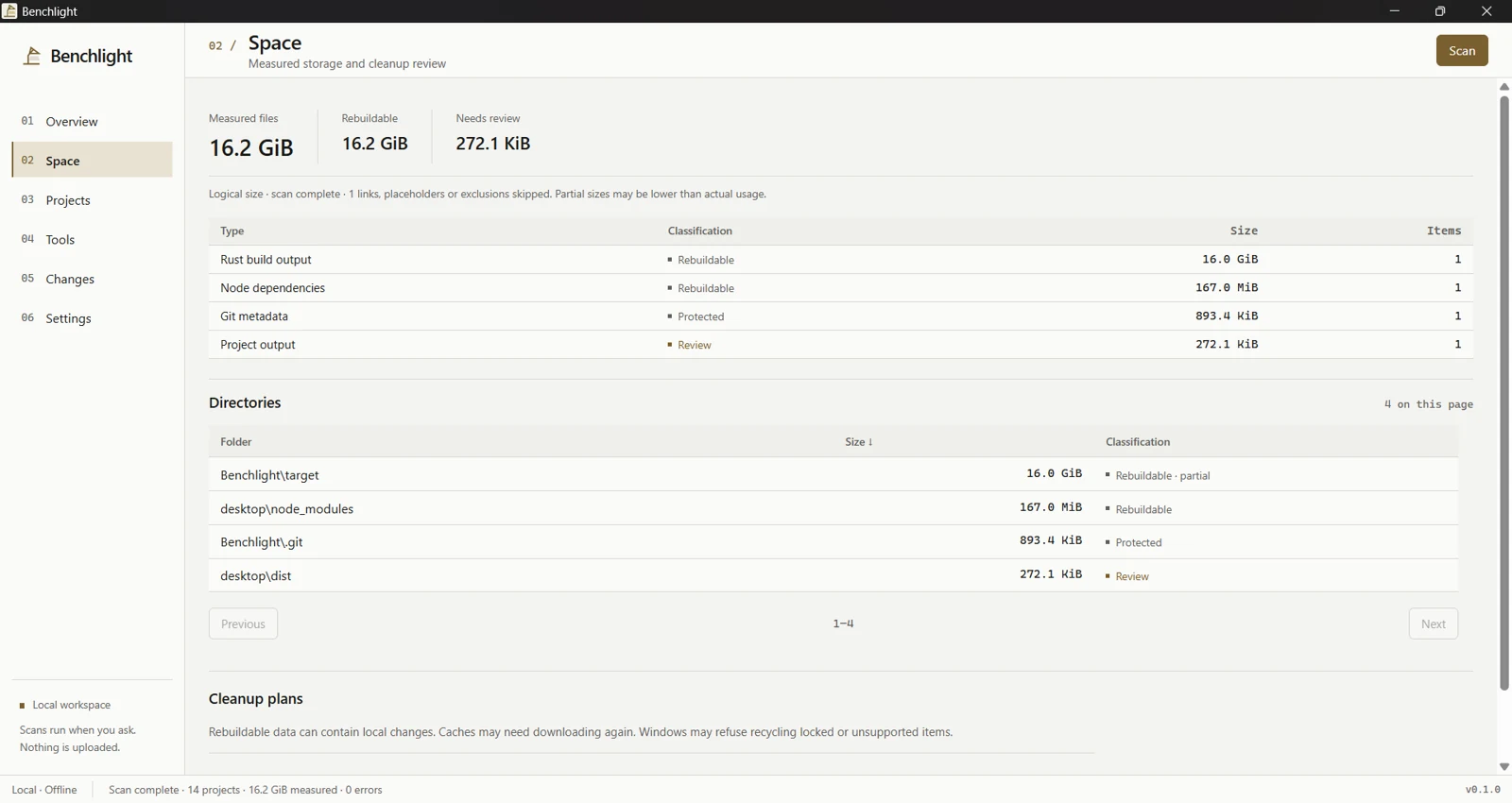
01 Measure the workspace
The Space view shows directory measurements, classifications and reviewable cleanup plans.
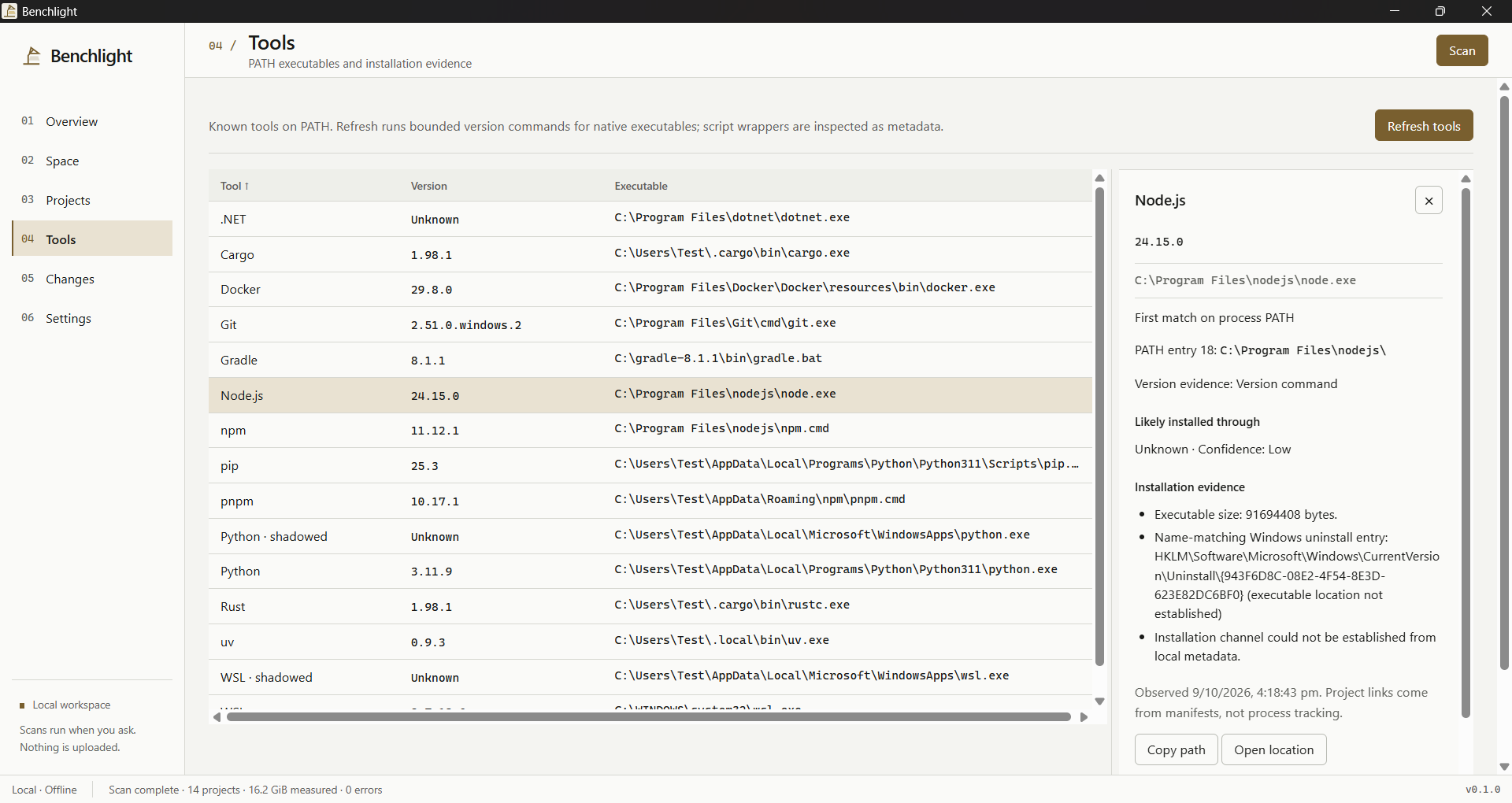
02 Inspect the toolchain
The Tools view shows resolved executables, versions and installation evidence.
03 Compare a snapshot
The Changes view compares recorded workspace observations.
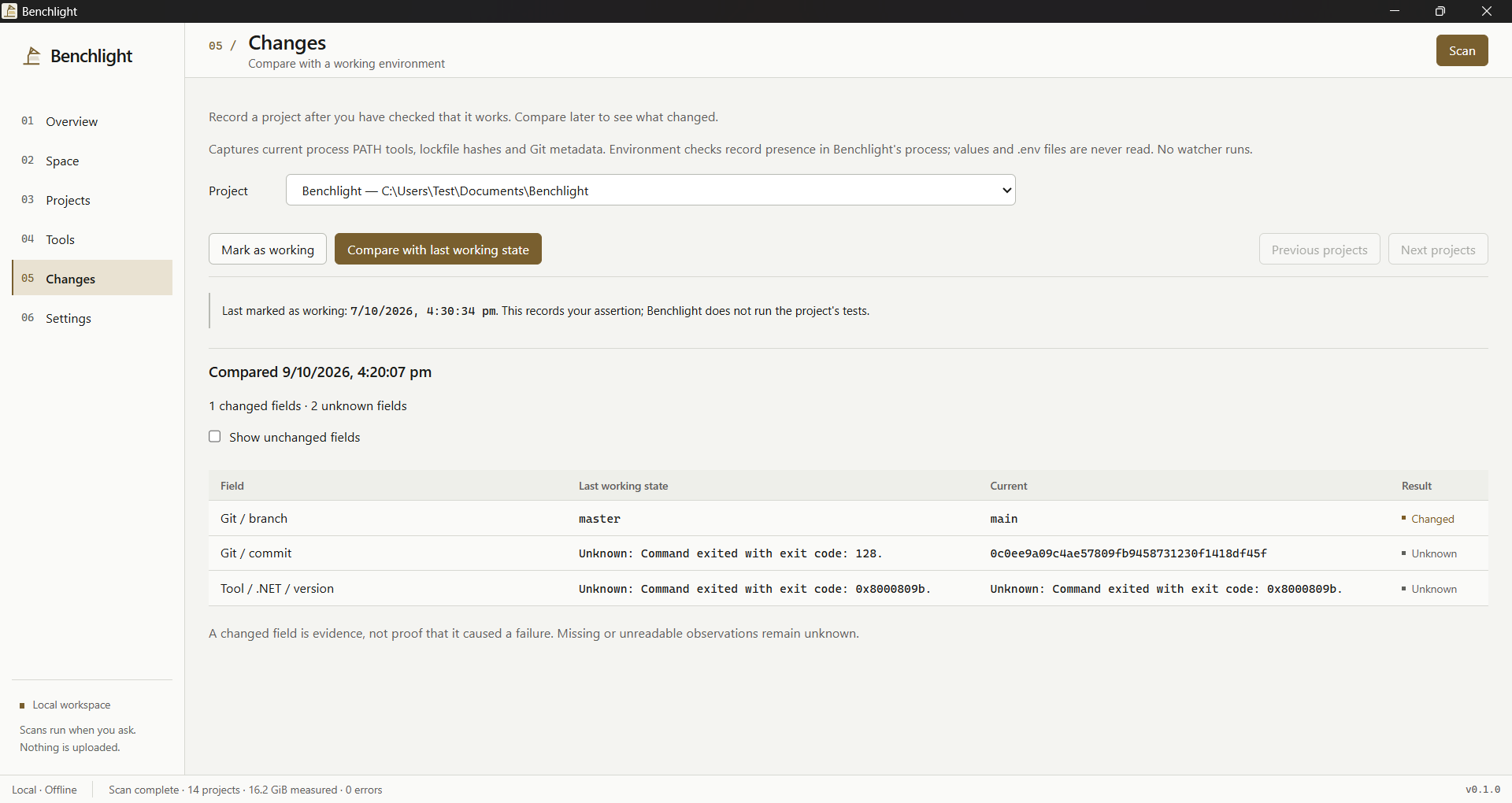
Benchlight 0.1.0, captured on Windows from a local repository scan and installed tools on 9 October 2026. Values and paths vary by machine. Capture details ↗
Try a review
What deserves another look?
Illustrative data, not a scan. Choose a directory to see its classification. Nothing is read or deleted.
Rebuildable · review required
A dependency directory next to a package manifest is a candidate for review. Local edits may still be valuable.
Before any real cleanup: inspect the contents, create a plan, revalidate it and explicitly confirm recycling.
Logical size is not a promise of recovered space. This example has no cleanup action.
Two places where certainty would be misleading
Rebuildable is a classification, not permission
Benchlight separates Rebuildable, Cache, Review and Protected items. An ordinary cleanup plan accepts only fully measured eligible directories. The plan records the filesystem identity, metadata fingerprint and relevant project evidence.
Applying a plan revalidates that evidence, then requires explicit confirmation. The Windows adapter requests recycling and records staged paths for recovery. Changed or incomplete evidence cannot be overridden by confirmation. It is conservative coordination with ordinary filesystem changes, not a security boundary against a hostile process.
Installation origin can stay unknown
Tools are resolved against the application's PATH. First and shadowed matches are kept visible. Local metadata can support an installation-origin inference, but a matching online package name would not prove ownership. Benchlight therefore keeps evidence and confidence beside the answer.
One development measurement
| Fixture | Scan | 100 page queries | Cancellation return |
|---|---|---|---|
| 50 projects / 20,050 files | 5,570 ms | 42 ms | 8 ms |
Read this as a development observation
The generated fixture contained 10,240,100 logical bytes. Cancellation was requested 100 ms into a second scan. Memory was sampled every 200 ms, so its recorded peak of 7,892,992 bytes is a lower bound on the instantaneous peak.
Other development builds and a repository scan were running. OS caches were not flushed and CPU/RAM were not recorded in the source note. This run is unsuitable for a controlled speed comparison or a general throughput claim.
What still needs broader testing
New network and mapped-network scan roots are rejected. Links and nonresident cloud placeholders are skipped; an in-flight Windows read can delay cancellation. Logical file size is not the same as reclaimed disk space.
Broader version-upgrade testing, live cloud hydration and physical removable-drive testing remain open. Tool discovery reflects the application's environment, which can differ from a shell's aliases and version-manager choices. Unknown results should stay visible.
Back to Threadmark →